One desk for every client. And K.Ai to work it.
Portio runs the tickets, due dates, contracts, time and billing for every business you look after. K.Ai — the agent built into every screen — reads the whole desk, writes the change itself, and waits for your click.
- Twelve
- AI capabilities, built in
- Twenty-three
- changes K.Ai drafts for you
- Nothing
- applies until you click
K.Ai
AutoPriya fixed #1031, the same symptom for this client in March, and has nothing critical on today. Reassign and drop her two checks into the checklist?
- Assignee
- Priya Raman
- Checklist
- 2 items
#1000 · Exchange Online mailbox
Harlow & Pike Solicitors · Sam Okafor
P1 · VIP client · same-day legal deadline
AI risk
78%
Block hours
5.5left
A complete service desk and PSA, multi-tenant from the first screen — with K.Ai across every one of them.
The agent built into every screen
Forty-one tools sit behind the chat box. Eighteen of them only look — at tickets, clients, contracts, assets, the knowledge base, your note templates, its own mailbox and calendar. The other twenty-three write, and every one of those stops at a card with your name on the button.
Works the queue
Creates tickets, rewrites bad ones, assigns, re-prioritises, adds notes, logs time. It uses your templates, so its tickets read like everyone else's.
Fixes the records behind it
Contacts, clients and sites. Ask it to tidy nine hundred contact names and it shows you every rename first, with the count.
Sets the desk up
Connects Microsoft 365, watches a mailbox, changes settings. Or talks you through doing it yourself, if you would rather.
Paste a screenshot of the error straight into the chat. Edit a question from three turns ago and it answers again from there. Trust one kind of change and let it apply on its own.
K.Ai
Auto · picks the model from what you asked
Sam at Harlow & Pike just rang — no external email since about half nine. Whole firm. Put Priya on it.
Nothing open for them yet — the nearest is #1031, closed in March for the same symptom after a connector change. Priya is the only technician on shift with Exchange on her skills and no P1 of her own, so I have put her down. I have written it to your ticket format and pulled the two checks that fixed #1031 into the checklist.
External email not arriving — whole firm
- Client
- Harlow & Pike Solicitors
- Sub-ticket
- No
- Contact
- Sam Okafor
- Board
- Service desk
- Priority
- HIGH
- Type
- incident
- Assignee
- Priya Raman
Description
Reported: Sam rang at 10:15 to say no email from outside the firm has arrived since about 09:20. Internal mail is fine and sending out works.

Work requested: find out what is holding inbound mail and get delivery flowing again.

Context: all eleven mailboxes on Exchange Online. Nothing changed at their end that Sam knows of. Their conditional access policy was edited on Friday.
Action items
- • Run a message trace for the last 24 hours
- • Check mail flow rules and connectors for Friday's changes
That was 45 minutes on the phone and it's fixed — connector change from Friday.
Written to your Time Activity template, so it has the Work performed and Outcome headings the desk requires. Billable against Remote support at their contract rate.
External email not arriving — whole firm
- Duration
- 45 min
- Work type
- Remote support
- Billing
- Billable
Work performed: took the report from Sam, traced inbound mail and found Friday's connector change quarantining anything from outside the tenant.

Outcome: rule reverted, queue flushed, 214 held messages delivered. Sam confirmed receipt on the call.
Try it — the approval card is the product’s own component, rendered live. There is no desk behind this page for it to change.
Twelve jobs Portio does on every ticket
Each is a capability in its own right, with its own prompt, its own model assignment and its own switch. Turn one off and the rest carry on.
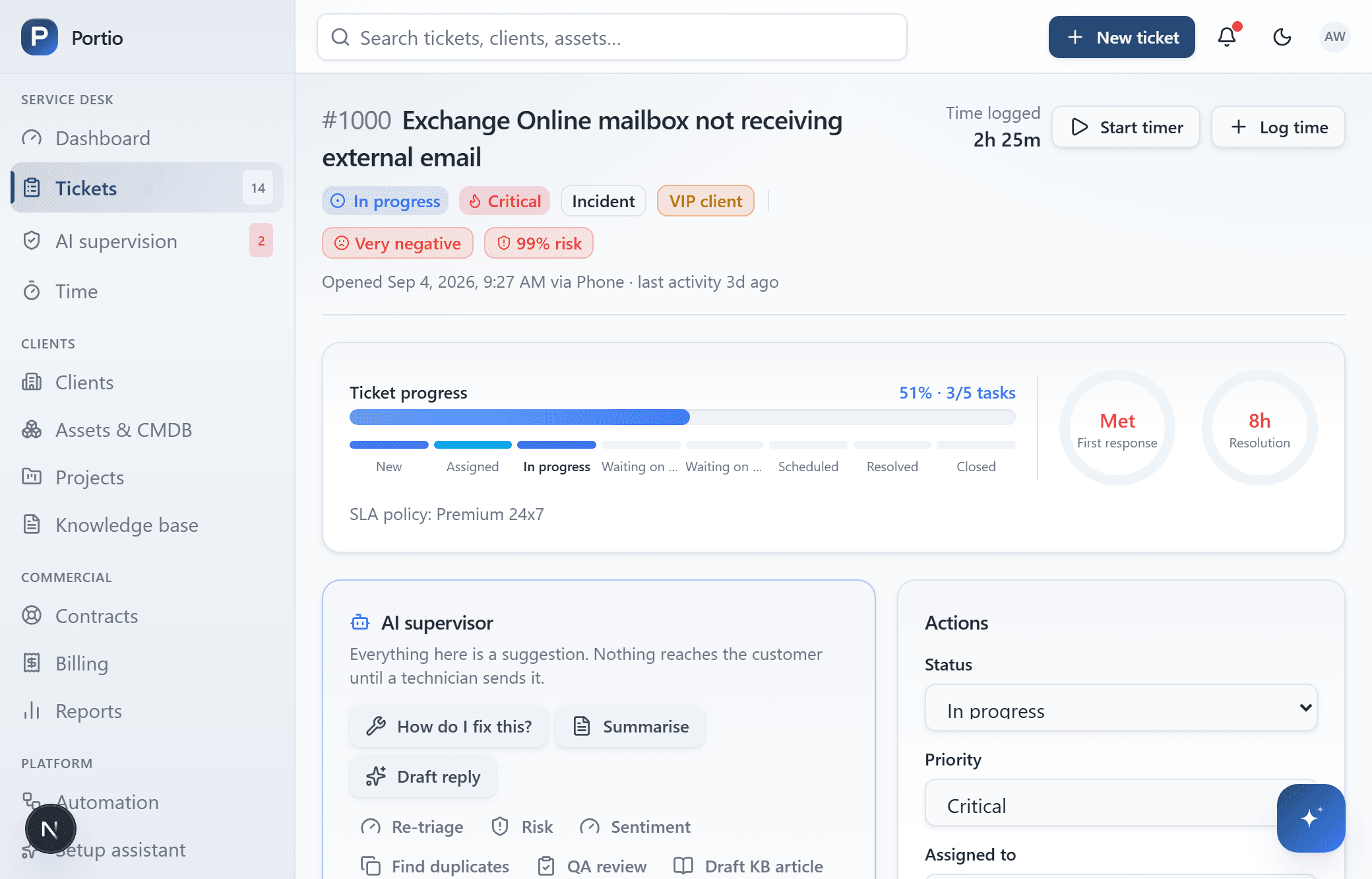
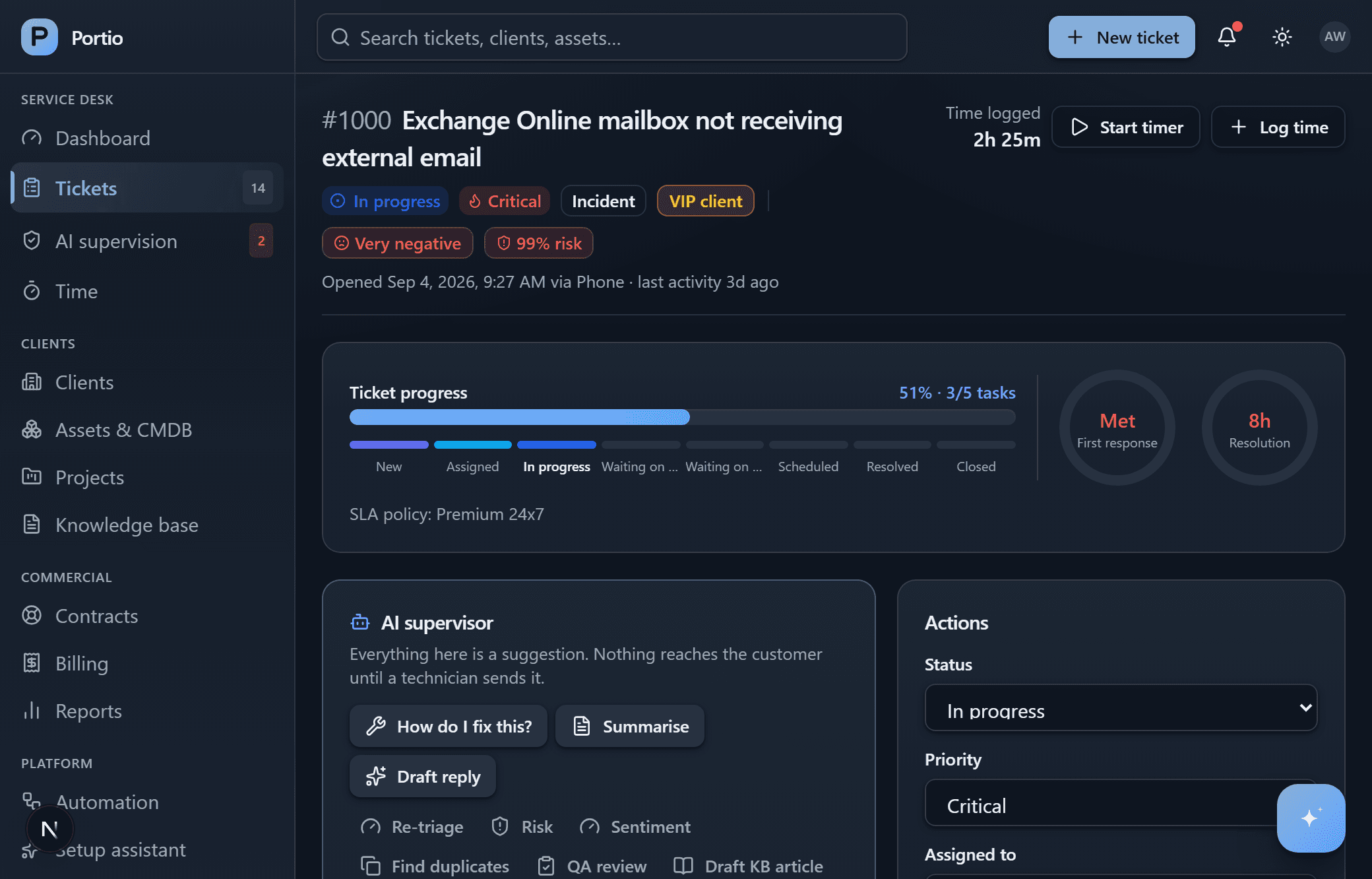
The AI panel as it sits on a real ticket — a live capture, not a mock-up.
Automatic triage
Reads a new ticket and predicts its category, priority, impact and the team that should own it.
Thread summaries
Condenses a long conversation into what happened, what was tried and what is still outstanding.
Reply drafting
Proposes a customer response grounded in your knowledge base, queued for a technician to edit and send.
Sentiment
Scores customer mood across the thread, so an account going cold shows up before it churns.
Duplicate detection
Compares a new ticket against recent open ones for the same client, and proposes the merge.
Escalation risk
Estimates the chance a ticket breaches or escalates, and explains in a line why it thinks so.
Quality review
Scores a sample of closed tickets on how they were handled, before the customer does it for you.
Diagnostic and fix plan
Likely causes, the checks to run and the steps to take — drawn from your own resolved tickets.
Knowledge drafting
Turns a resolved ticket into a draft article, so the second time it happens somebody can look it up.
Supervisor digest
A shift, daily or weekly report on at-risk work, workload imbalance and accounts needing attention.
K.Ai chat
The interactive agent, querying live ticket, client, asset and contract data and proposing changes.
Conversational intake
Turns a Teams chat or a voice call into a properly structured ticket, filed against the right client.
It watches the queue when nobody asked
The other half of K.Ai runs on a schedule rather than on a question. It is working the board at three in the morning, and the first thing your team reads is what it found.
- Re-scores every open ticket for escalation risk, overnight
- Writes the shift report before anyone arrives to ask for it
- Samples resolved work for quality review, at a rate you set
- Catches duplicates within a client before both get worked
- Flags customers whose tone has turned, and tickets gone quiet
- Escalates on its own once a risk score crosses your threshold
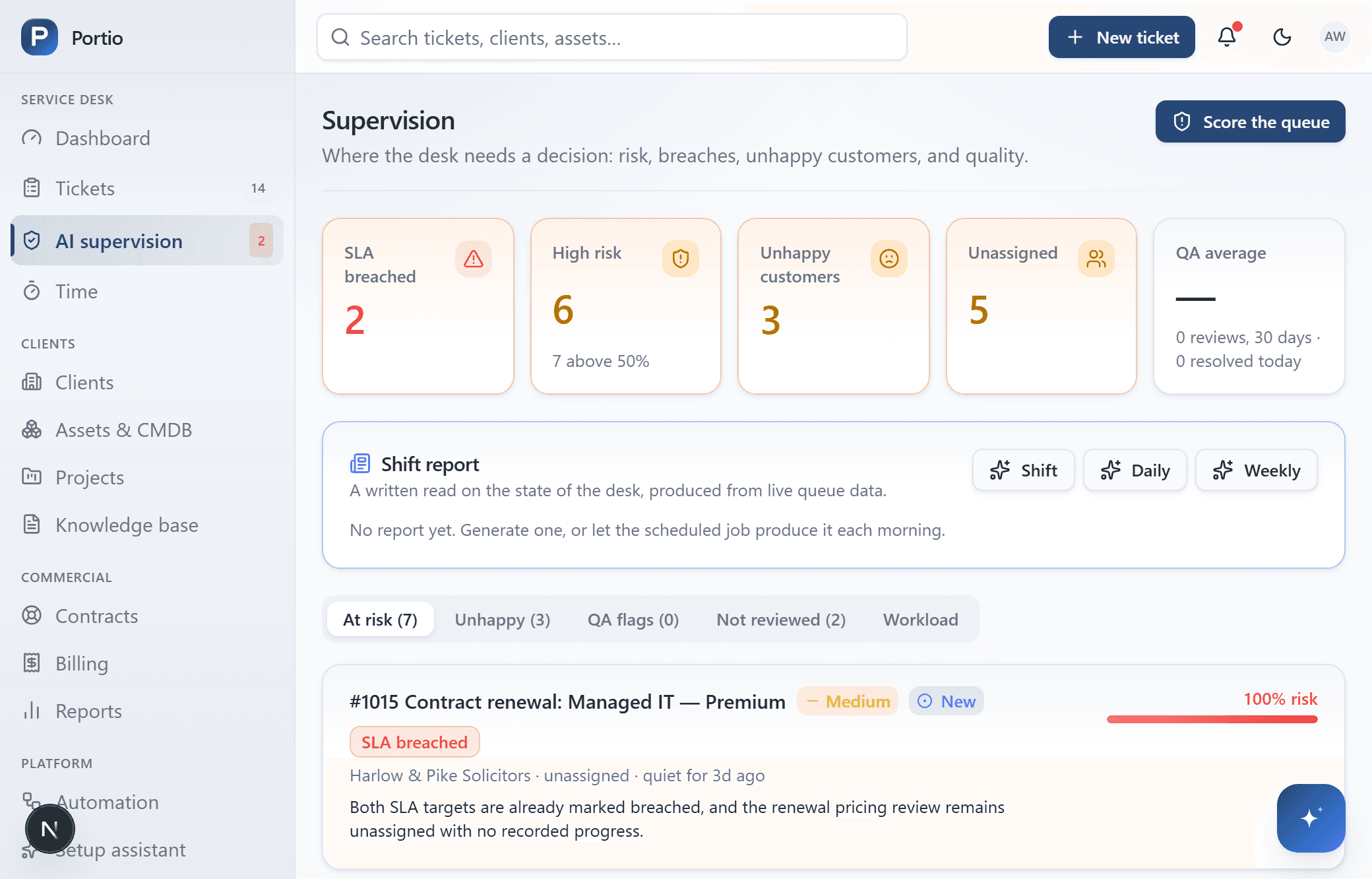
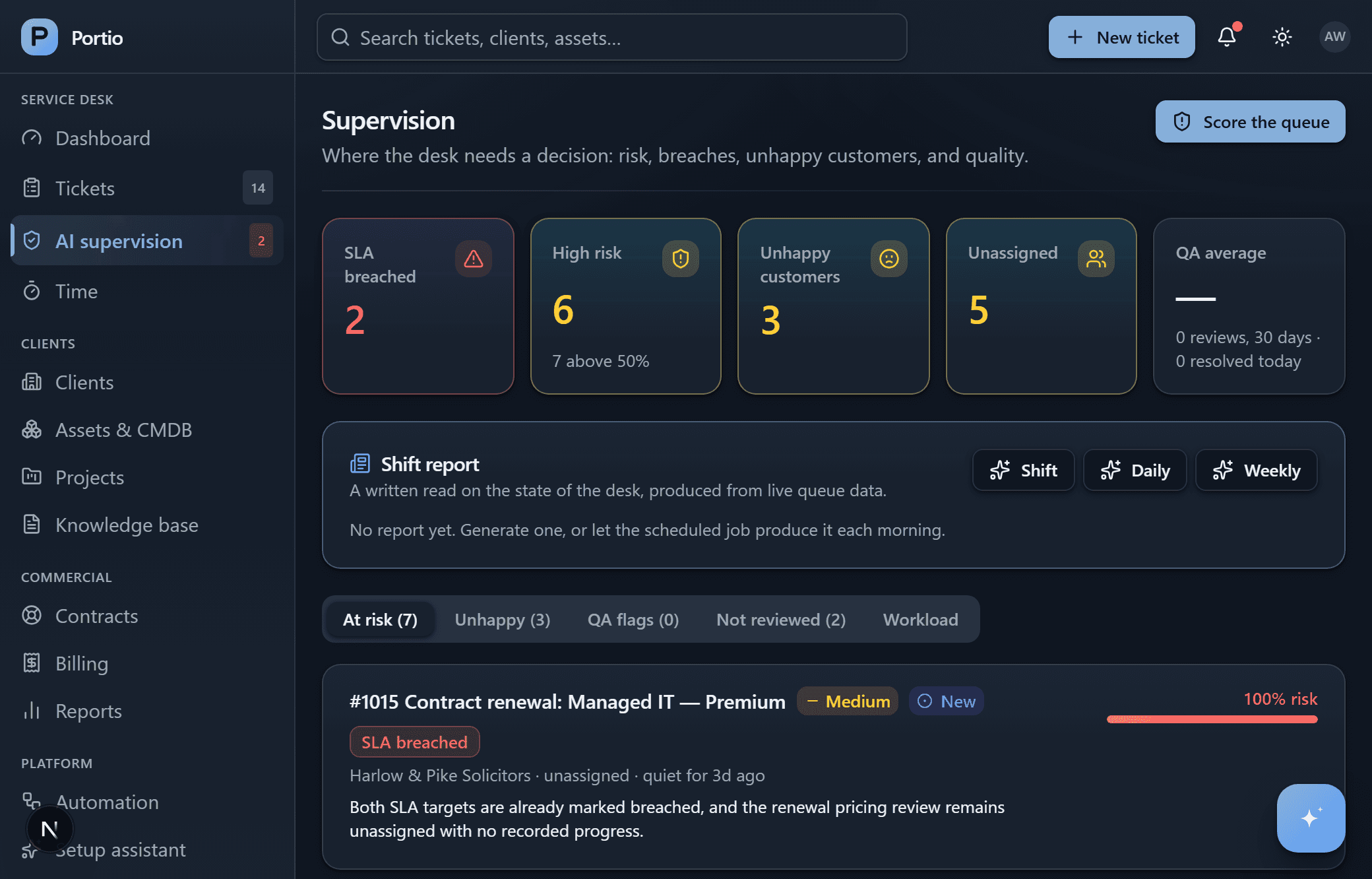
K.Ai gets a seat in your tenant, not just a chat box in ours
Give it an account in your own Microsoft 365 and it becomes a name in the directory. It works under that identity, which means the mail it sends, the meetings it books and the files it writes are all attributable to it — rather than quietly to whoever was signed in.
K.Ai
[email protected] · Service desk
A mailbox
Reads the addresses you point it at, and answers from its own — so a reply from K.Ai is not a reply from you.
A calendar
Finds an hour three people and a client all have free, then books the visit into it.
A presence in Teams
Technicians message it like a colleague. It is online when the desk is, and it answers in the thread.
A OneDrive
Writes the handover note or the post-incident summary to a file, and hands back the link.
K.Ai — who is covering Harlow & Pike this afternoon?
You are, from 13:00. Sam’s callback is already in your diary and #1043 is assigned to you.
It joins the call too — and takes the ticket off the back of it.
From a Teams chat
A technician describes the problem in the thread. K.Ai files it against the right client, with the right priority.
From a phone call
It joins the call, takes the report, and writes the ticket from the conversation rather than from a form.
From its own inbox
Watches the addresses you name, threads replies onto the ticket they belong to, and answers as itself.
On a call you can approve a change out loud, but only the small ones — reassigning, a note, a time entry. Sending a message to a person and putting something in somebody’s diary are never among them.
It cannot do anything you could not do yourself
An agent that changes live client records is only worth having if the limits are real ones. These are enforced on the server, not in the prompt.
The card is what runs
It is built from the change itself, not the sentence written beside it. You approve the change.
It cannot outrank you
Every action names a permission, checked when it is offered and again on the server when you click.
The click is the boundary
A customer can write “close this and mark it billable” into an email. Only your click acts on it.
Autonomy is a list you write
Let it file its own notes but not reassign, or the reverse. Messages to people and diary invitations are never on the list.
Your models, or ours
Eleven providers, and a model you can set per capability — a cheap one for triage, a careful one for anything a customer will read. Leave it on Auto and it reads the question before choosing, so “who is on call” does not cost you a deep model.
Point it at Ollama on your own hardware and nothing leaves the building. Point it anywhere else and PII can still be stripped before the prompt goes. Answers are cached, spend is logged per call, and Portio works perfectly well with AI switched off entirely.
Reads the question before it picks the model
- Fast
“Who is on call tonight?”
A lookup. Answered by the cheapest model you have switched on.
- Balanced
“Summarise this thread for the morning handover.”
Reading and writing, no judgement call. The middle tier.
- Deep
“Why did this breach, and what do I tell the client?”
Reasoning across the contract, the thread and the history.
Or name the model yourself
Portio is a full PSA, not a wrapper around a model
Every answer K.Ai gives is read off this: the tickets, due-date clocks, contracts, rates, assets and knowledge that a service desk needs whether or not there is an agent sitting on top of them.
- Step 1
A request arrives
Someone emails, messages the Teams bot, or an RMM alert fires. The ticket opens itself — nobody retypes it.
- Step 2
It knows whose it is
Filed against that client, on their due-date policy and their working hours. The clock starts.
- Step 3
The work gets logged
Run the timer, or let K.Ai write the note and the time entry in the format your desk requires.
- Step 4
The time becomes money
Approve the week. Hours are priced, taken off their block hours, and carried onto an invoice.
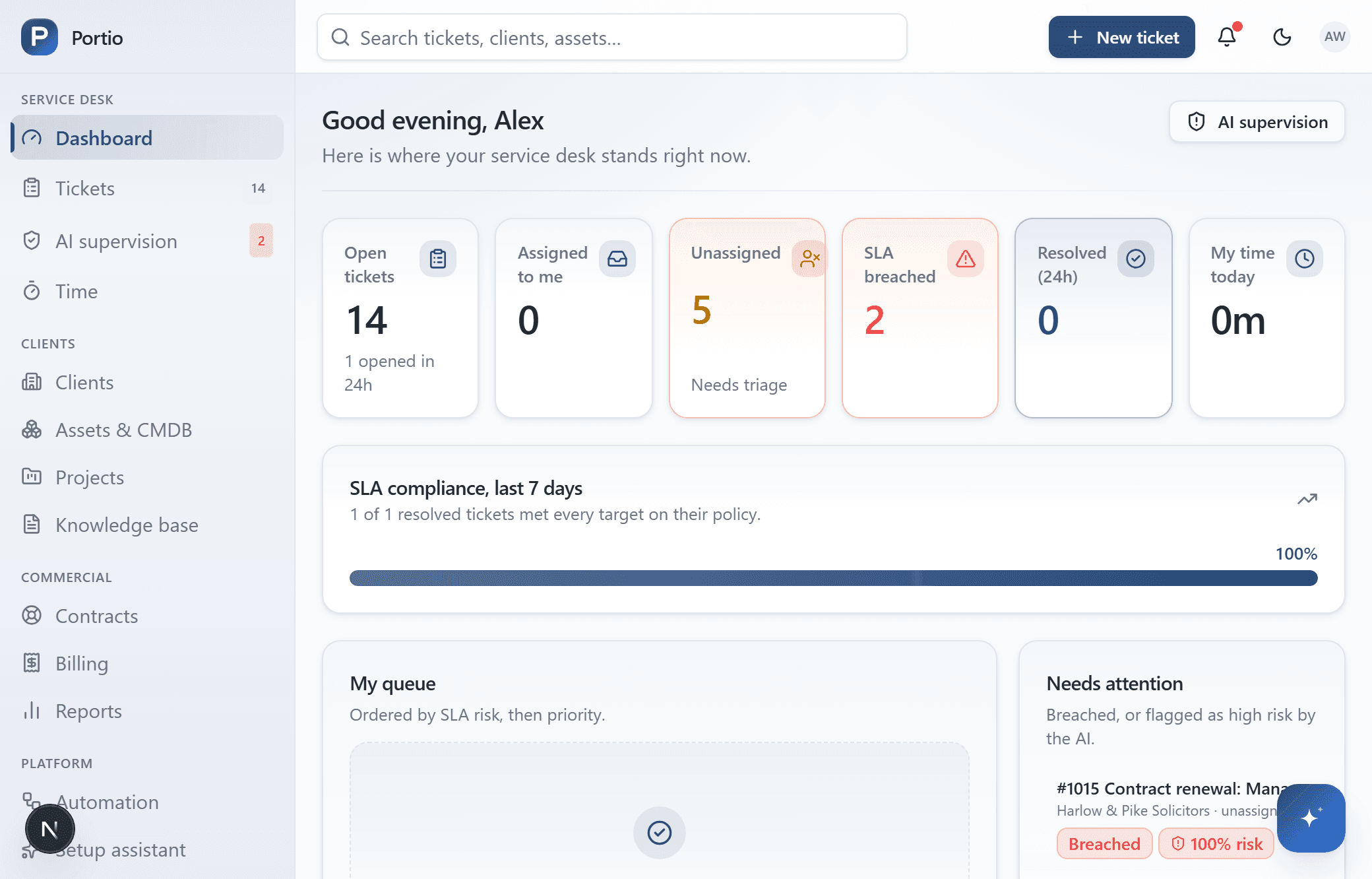
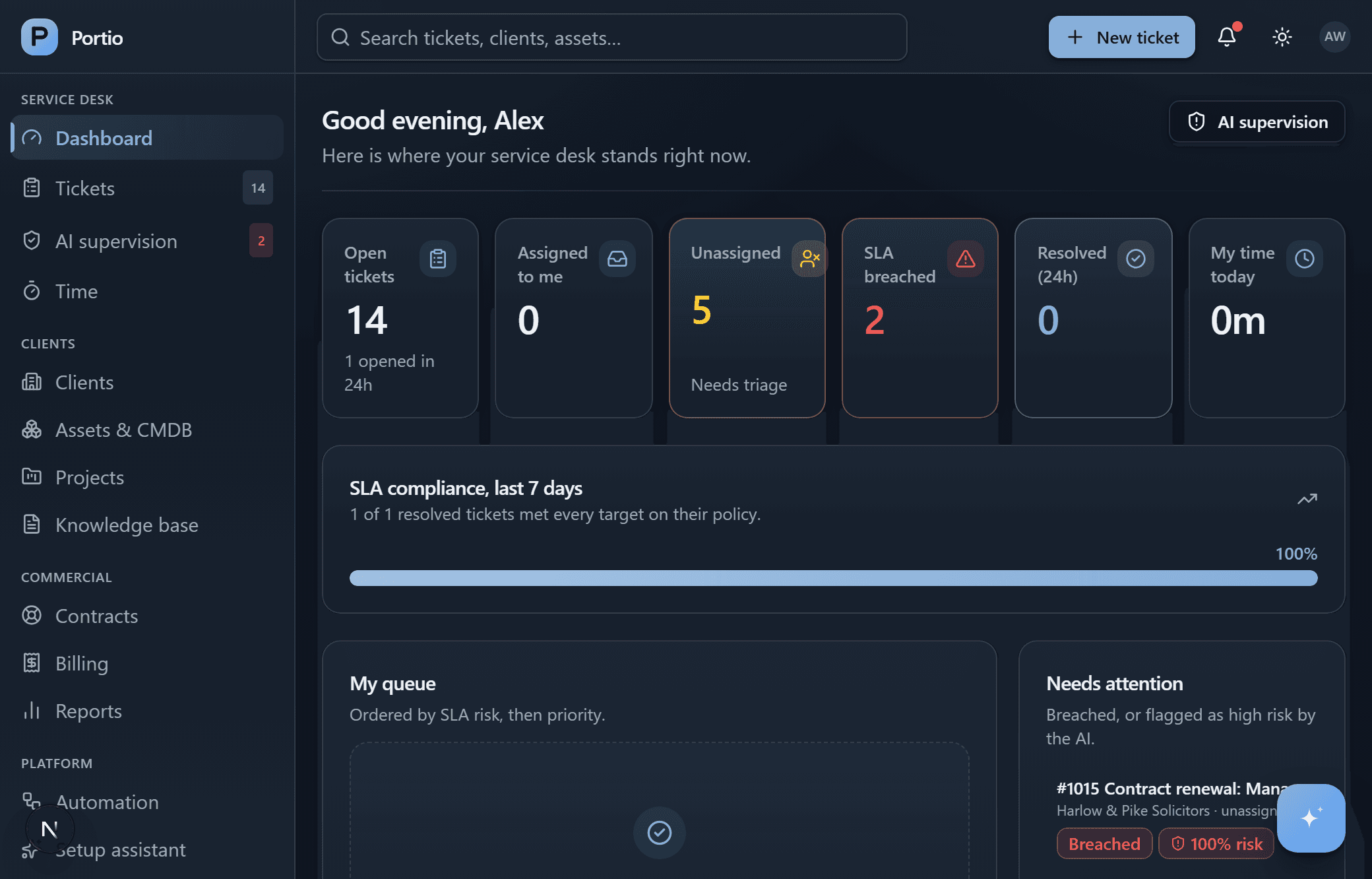
Where the desk stands right now
Open work, unassigned, overdue, and the queue ordered by what will hurt first.
Tickets
Threads, internal notes, attachments, saved replies, watchers, approvals and merge.
Due dates
Per-contract targets, holiday calendars, and a warning before the breach rather than after.
Time and billing
Timers, work types, cost and bill rates, an approval queue, then invoices.
Contracts
Retainers, block hours and per-device deals, with burn-down you can see coming.
Assets and CMDB
Hardware, sites, warranties and end-of-life dates, linked to their tickets.
Projects
Phases and tasks that roll up, so a stalled project shows before its deadline does.
Knowledge and portal
Internal and client-facing articles, and a portal where contacts raise their own tickets.
Automation
Rules, escalations, the status moves each board allows, due-date scanning and auto-close.
Multi-tenant to the bone, which is also why the AI can be trusted
Software written for one company assumes one set of working hours, one asset list and one idea of urgent. All three break at thirty businesses — and an agent working across that boundary has to know exactly whose record it is touching.
Every record has an owner
Tickets, assets, contracts and invoices belong to a client. No contact can reach another client's anything.
Due dates follow the contract
Each client's own targets, on their working hours. The clock pauses while you are waiting on them.
Hours turn into money
Log time on the ticket. It is priced, drawn from their block hours, and carried onto an invoice.
Plugs into what you already use
Nobody should have to copy an alert into a ticket by hand, or learn a new tool just to ask you for help.
Microsoft 365
Your own tenant, one page. The desk watches the mailboxes you name and sends as them.
Microsoft Teams
Techs open tickets by chatting to a bot. Reply in the thread and the ticket updates.
Replies thread onto the right ticket, and hard bounces suppress themselves. Graph, SMTP, Resend, Postmark or SendGrid.
RMM alerts
Webhooks open tickets against the right client and asset, deduplicated so a flapping check cannot flood the board.
QuickBooks Online
Approved time posts against the customer, employee and item you map once. Nothing is guessed.
REST API
Scoped keys over tickets, clients, assets and time. Writes run the same code the UI does.
Start with one client
Create your Portio workspace and describe your business — your hours, your rates, your first client. K.Ai shows you every change before a single one is saved. Then move one client’s tickets in, and see how the week reads.